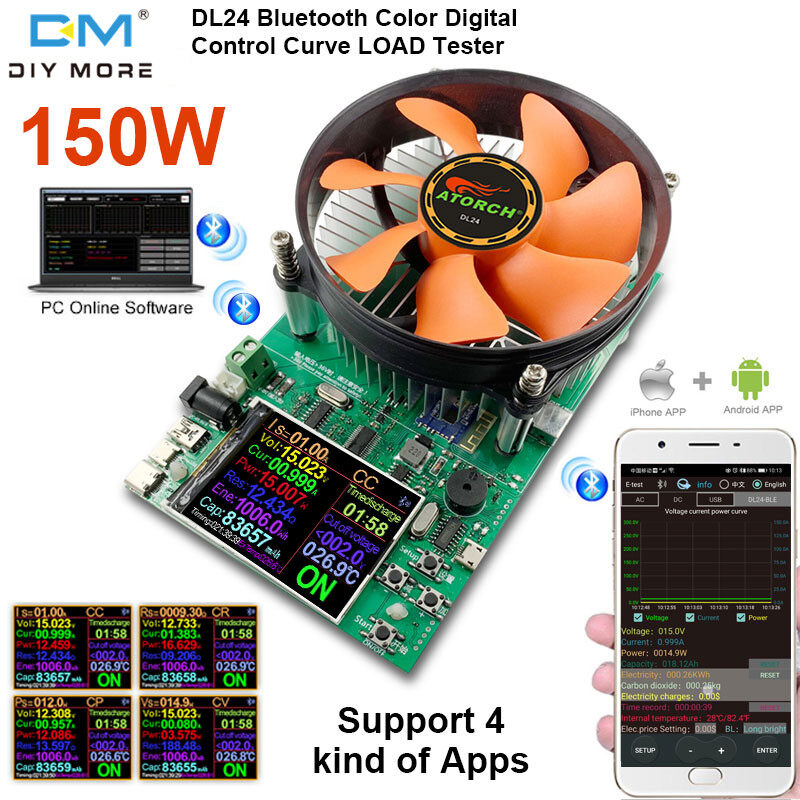

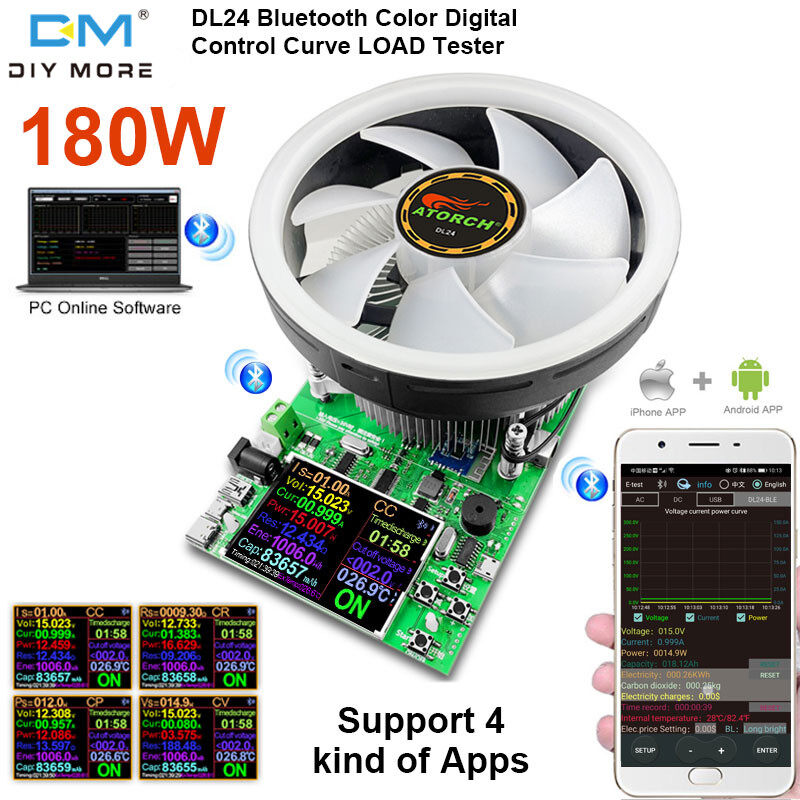
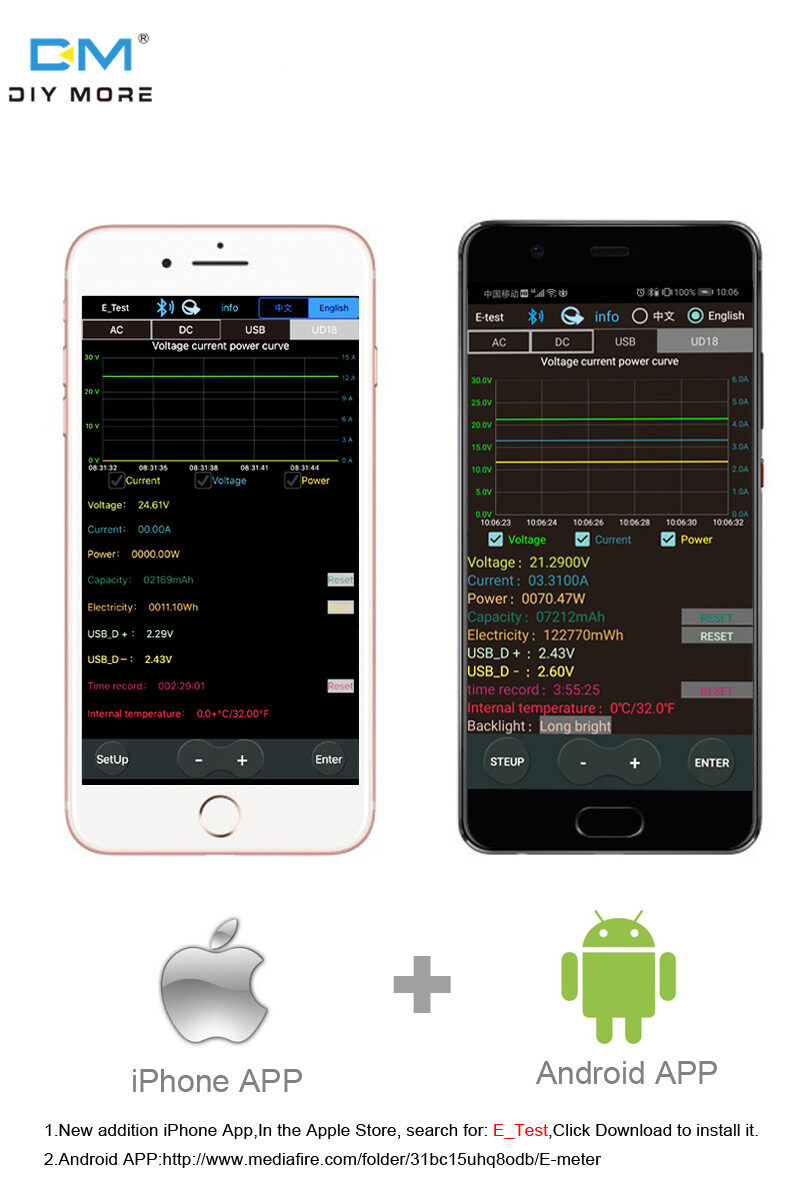


Four online methods: 1) Apple mobile phone APP: Please search E_test directly in the app store to download and install the iPhone, then click the bluetooth APP icon to open the software, then click the bluetooth icon at the top of the software to enter and select DL24-BLE to connect. Measurement function, the discharge status can be checked at any time on the mobile phone, various data cleaning can be seen, the voltage, current and power curve of the discharge, etc... (No need for separate Bluetooth pairing, the software Bluetooth icon can be directly selected DL24) 2) Android mobile phone APP: Scan the QR code on the back of the host to download the corresponding APP software. After the installation is complete, open the software and click the Bluetooth icon to enter and directly select DL24-BLE to connect successfully (No need for separate Bluetooth pairing, the software Bluetooth icon directly select DL24) can) 3) Computer wired online APP: After the host is powered on, connect the computer USB interface with the supplied data cable, and then install the CH340 serial driver, and then scan the QR code on the back of the host to download the corresponding APP software. After the installation is complete, open the software and select just install and add The serial port model can be successfully used online, of course, this APP style with installation method can also be compatible with serial devices of Bluetooth devices! 4) Computer Bluetooth wireless connection APP: first add the Bluetooth device to the computer as a serial port device of DL24-SPP, then scan the QR code on the back of the host to download the corresponding APP software and store it, and directly open the software without installing and select the newly added Bluetooth serial port model You can successfully use it online
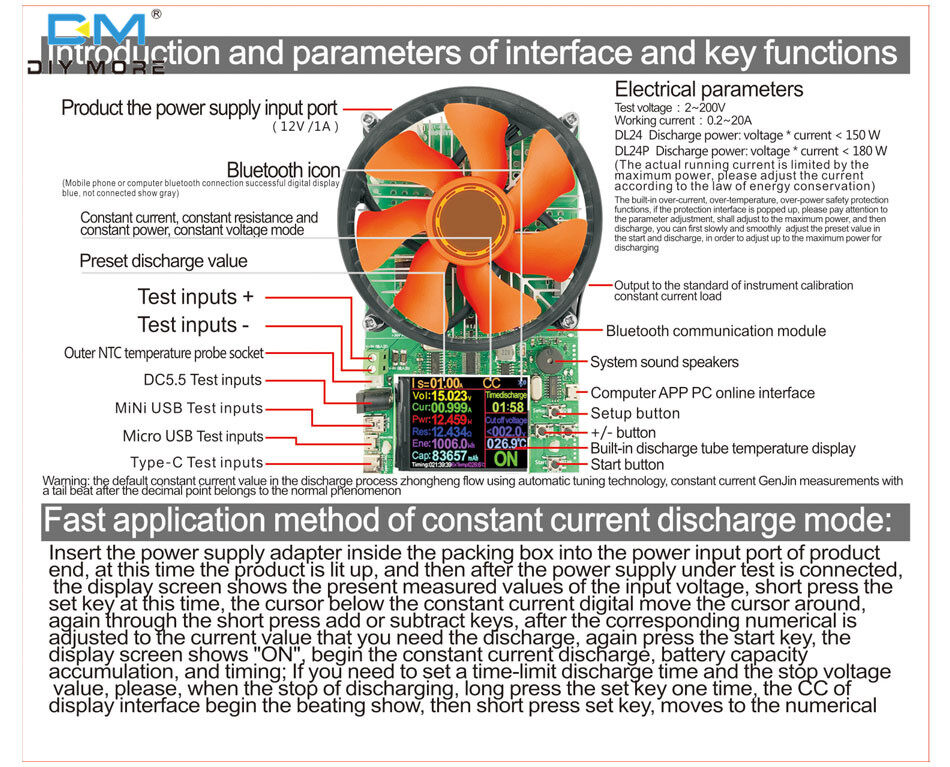
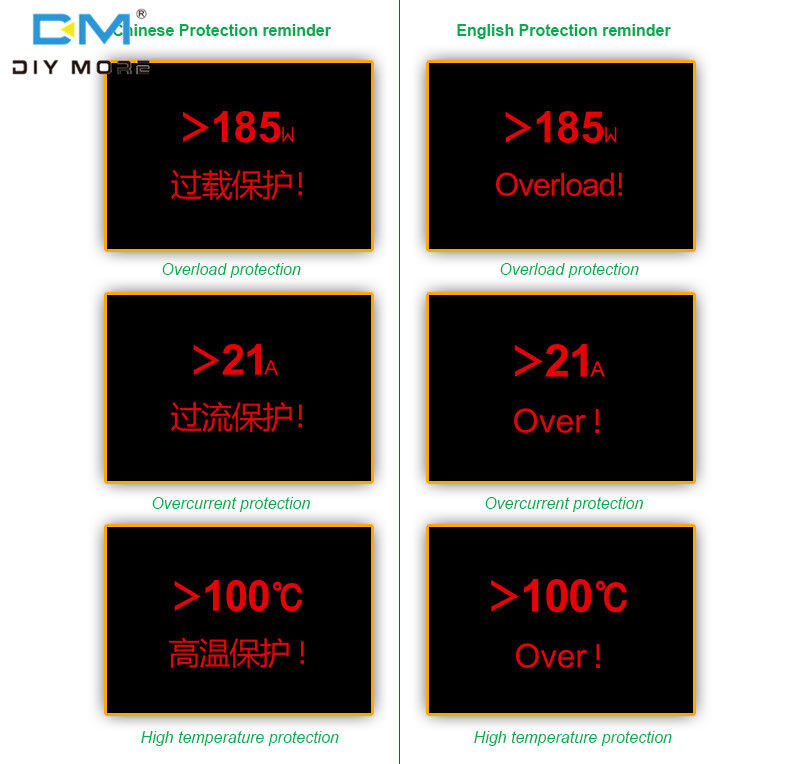
Technical Parameters: Test voltage: 2~200V Working current: 0.2~20A Constant load adjustment rate: +/-3%+3 bytes DL24 discharge power: voltage × current <150W DL24P discharge power: voltage × current <180W (The actual operating current is limited by the maximum power, please adjust the current according to the law of conservation of energy) Built-in over-current, over-temperature, and over-power safety protection functions, such as the pop-up protection interface, please pay attention to the parameter adjustment, to adjust to the maximum power discharge , You can slowly adjust the preset value to smoothly adjust during the start of the discharge, so as to achieve the maximum power discharge.
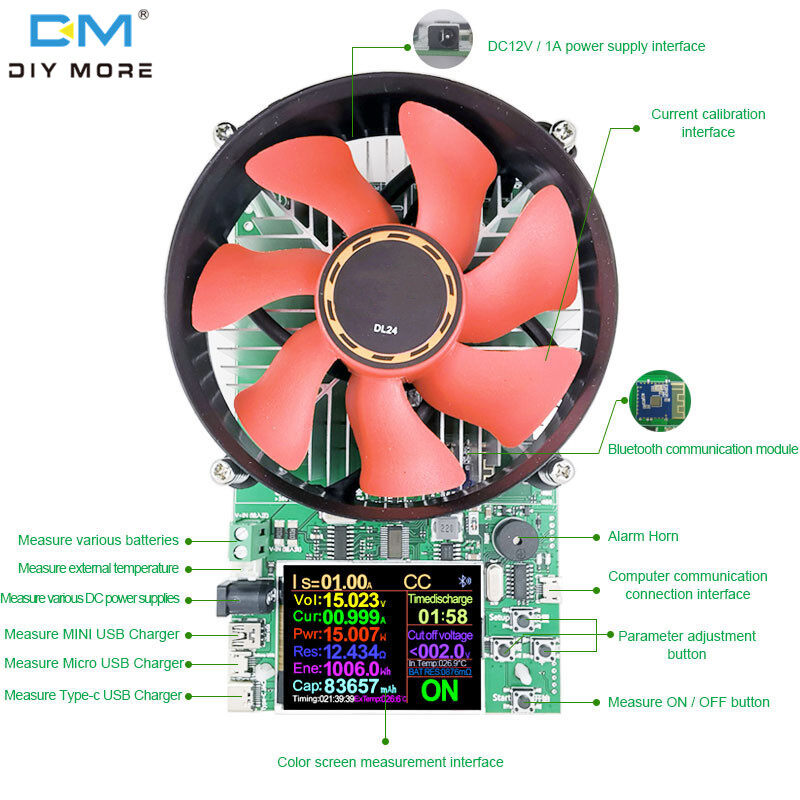
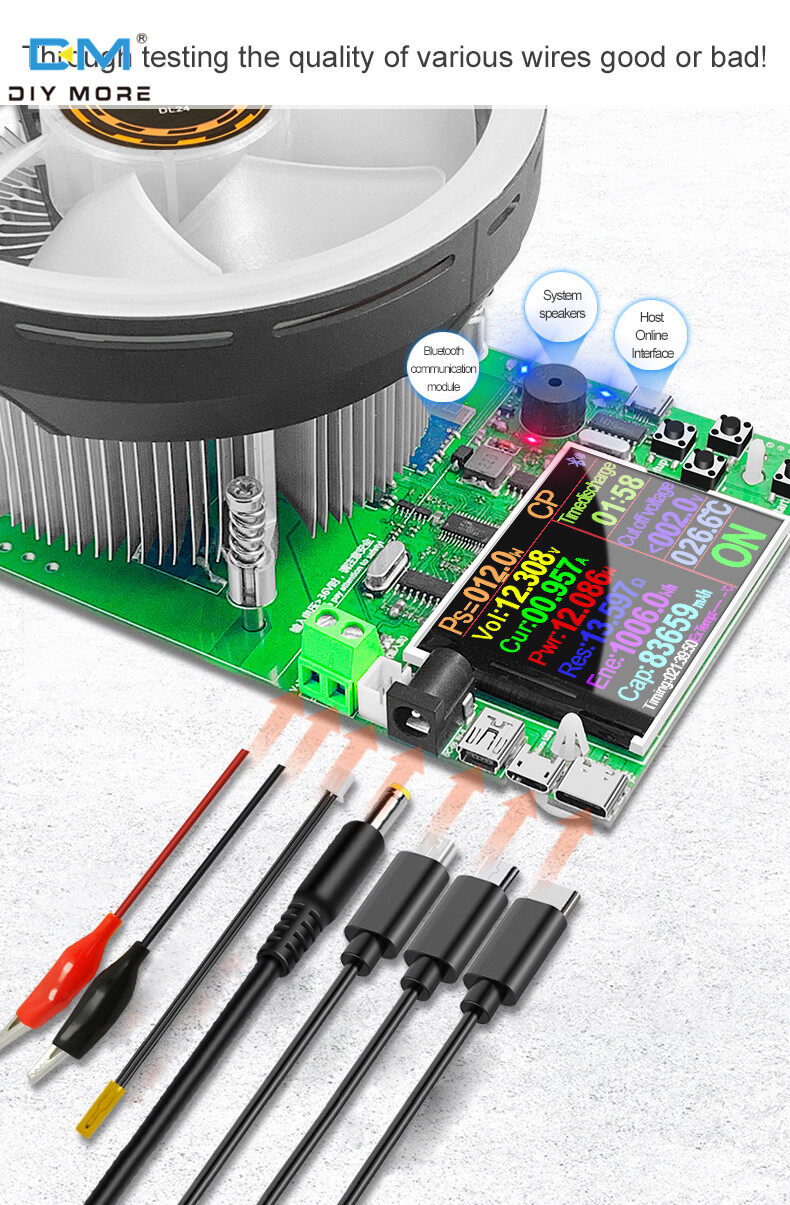
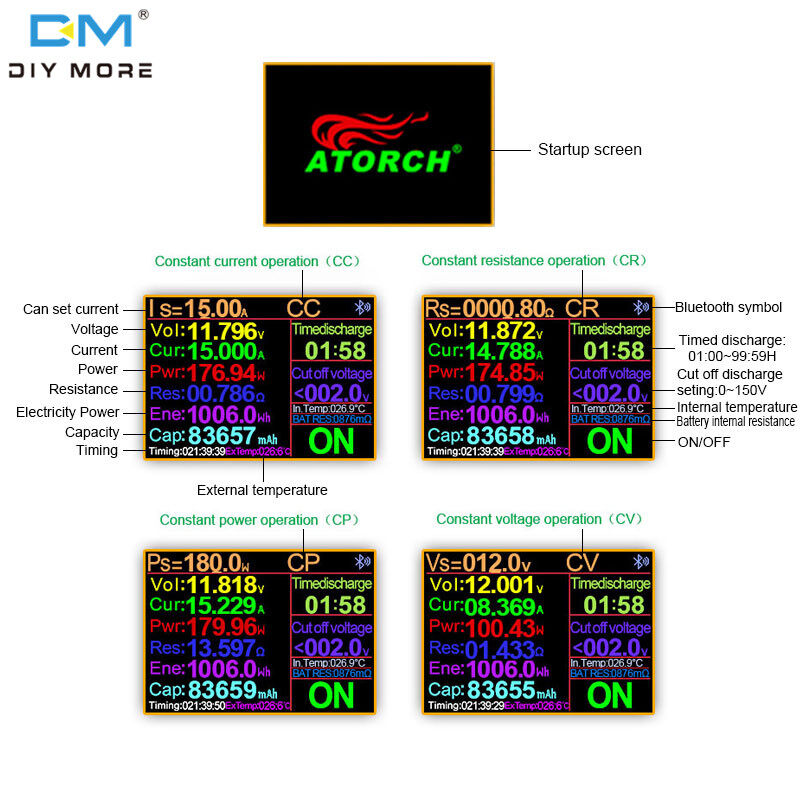
1. Fast application method of constant current discharge mode: Insert the power adapter in the packaging box into the power input port at the end of the product, and the product lights up at this time, and then connect the tested power supply and the display shows the current measured input voltage value. At this time, short press the set button and the cursor under the constant current number Move left and right, and then short press the plus and minus buttons to adjust the corresponding value to the current value you need to discharge, and then press the start button, the display shows the word "ON", and the constant current discharge and capacity power accumulation and timing will start; if you need To set the time limit discharge time and stop voltage value, please press and hold the setting button once when the discharge is stopped, the CC on the display interface will start to be displayed, and then short press the setting button to move to the time limit discharge column value flashing, short press the plus and minus buttons Just adjust the beating value. After setting, press the start button to save and confirm or wait for the flashing to stop and save automatically.
2. Constant resistance, constant power, constant voltage application method: When the product is powered on and the discharging state is stopped, long press the setting button, the CC on the display interface starts to be displayed, and then short press the plus and minus buttons to adjust the CR-CP-CV-CC several modes to cycle display, select the corresponding After the function mode, wait for the flashing to stop, the system saves and enters this function mode, then use the same application method as the upper section constant current discharge mode to adjust and turn on and off the discharge.
3. Methods and techniques for battery capacity detection: Fully charge your battery to be tested, then long press the start button of this product to enter the background to clear the accumulated data and exit the background, then long press the setting button CC to start flashing, short press the setting button to stop the voltage bar to set your After the battery discharges the lowest voltage, short press the start button to save, then set the rated discharge current value, short press the start button to start measuring the accumulated battery capacity value, when the discharge ages to the battery stop voltage value you set, the system will display "Complete !" indicates that the capacity test is completed. At this time, the capacity MAH and power WH values on the display are the battery capacity and power value
4. Detection methods and techniques of DC power adapter output voltage, current value and maximum power value: Connect the output of your power supply to this product, the display shows the current voltage value, and then set the nominal current value of the power supply to be tested to this machine, and then turn on the load for discharge and aging for 3-6 hours. The temperature is not high and the voltage is stable, indicating that the quality of the tested power supply is stable, and the nominal value is accurate without any false standard; during the discharge process of turning on "ON", short press the +/- button to increase the current to the voltage of the tested power supply. At the moment when the voltage is zero, read the current current value and power value, which is the maximum output current value and the maximum output power value of the tested power supply
5. Test methods and techniques for the capacity and power of mobile power supplies: First, fully charge your power bank, and then reset the load capacity to zero, start to connect to the load and set the discharge value to start discharging until the power bank is exhausted, then read all the information on the display. Accumulated capacity and power value, this is the approximate value of the capacity and power of this power bank. Because this product has a power-off memory function inside, the discharge process can be completed in one discharge, or it can be discharged in multiple times until the power bank is exhausted Then check the capacity value.
6. Warm reminder: Since most of the nominal capacity values of power banks on the market are marked with the cell value in the machine, and the physical capacity difference and boosting from the 3.7V cell to 5V or 9V or even other voltages Therefore, the capacitance value under the test voltage above 5V is much smaller than the nominal value.According to experience, based on the evaluation of the current mainstream major brand mobile power supplies, the total loss of the boost board plus the voltage boost difference is about 35% Therefore, it is necessary to test whether the nominal value of the power bank’s capacity is true or false. Taking the output voltage boosted to 5V as an example, the measured capacity value needs to be multiplied by about 1.35 to be approximately equal to the nominal value of the power bank itself. This evaluation value can only be used As a relative value, it cannot be used as an absolute value.
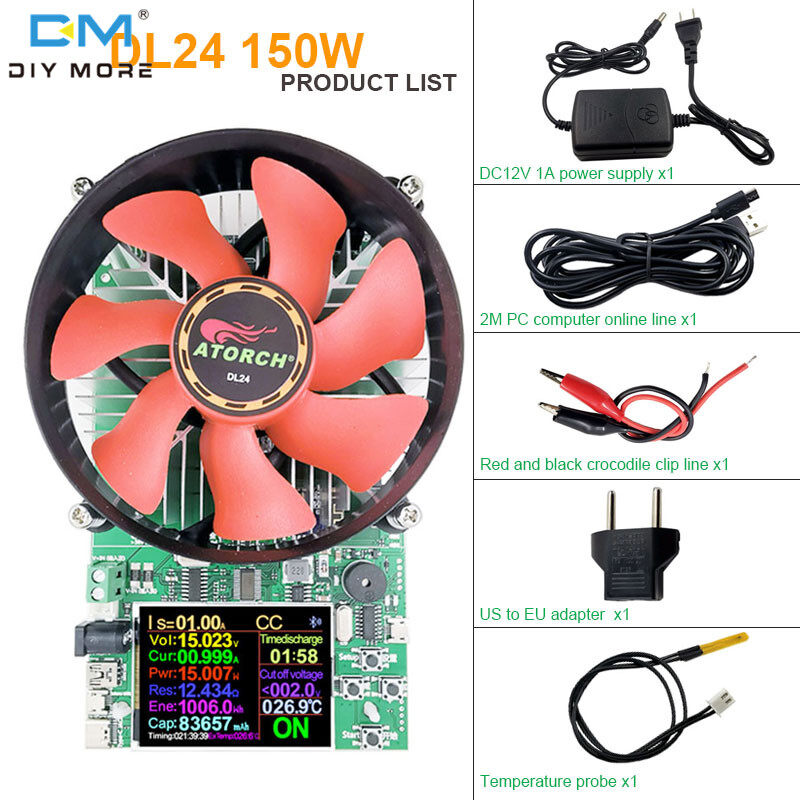
Package Included: Detector x1



![[HCM]VÒNG TAY TITAN CHỈ ĐỎ CON TRÂU VÀNG & VÀNG HỒNG CBS092](https://vn-live-01.slatic.net/p/9bd59a3d64ea75aa58513d56fc95383c.jpg)